
A FRIENDLY VPN FOR MACOS

Set sail.
Stay private.

One clear button, a crew you can trust, and a safer course through the internet—without the technical fog.

7 days0 sign-in traffic
A pirate walrus standing beside a ship wheel
READY TO CONNECT
CURRENT PORTDubai · Fast route
GUEST VOYAGENo account required
ONE-CLICK CONNECTIONGLOBAL PORTSENGLISH & ARABICAPPLE PURCHASES

MEET THE CREW

Three specialists.
One steady ship.

Sloop VPN turns every technical state into a simple job the crew can explain at a glance.

01
Walrus Helmsman

ONE-CLICK COMMAND

Walrus Helmsman

Steadies the wheel and keeps the main connection control impossible to miss.
02
Octopus Navigator

GLOBAL ROUTES

Octopus Navigator

Checks the available ports and helps you choose a clear course across the map.
03
Crab Captain

SECURITY ON WATCH

Crab Captain

Keeps the protection layers visible and warns when your route needs attention.

ONE SAFE COURSE

The whole connection, visible.

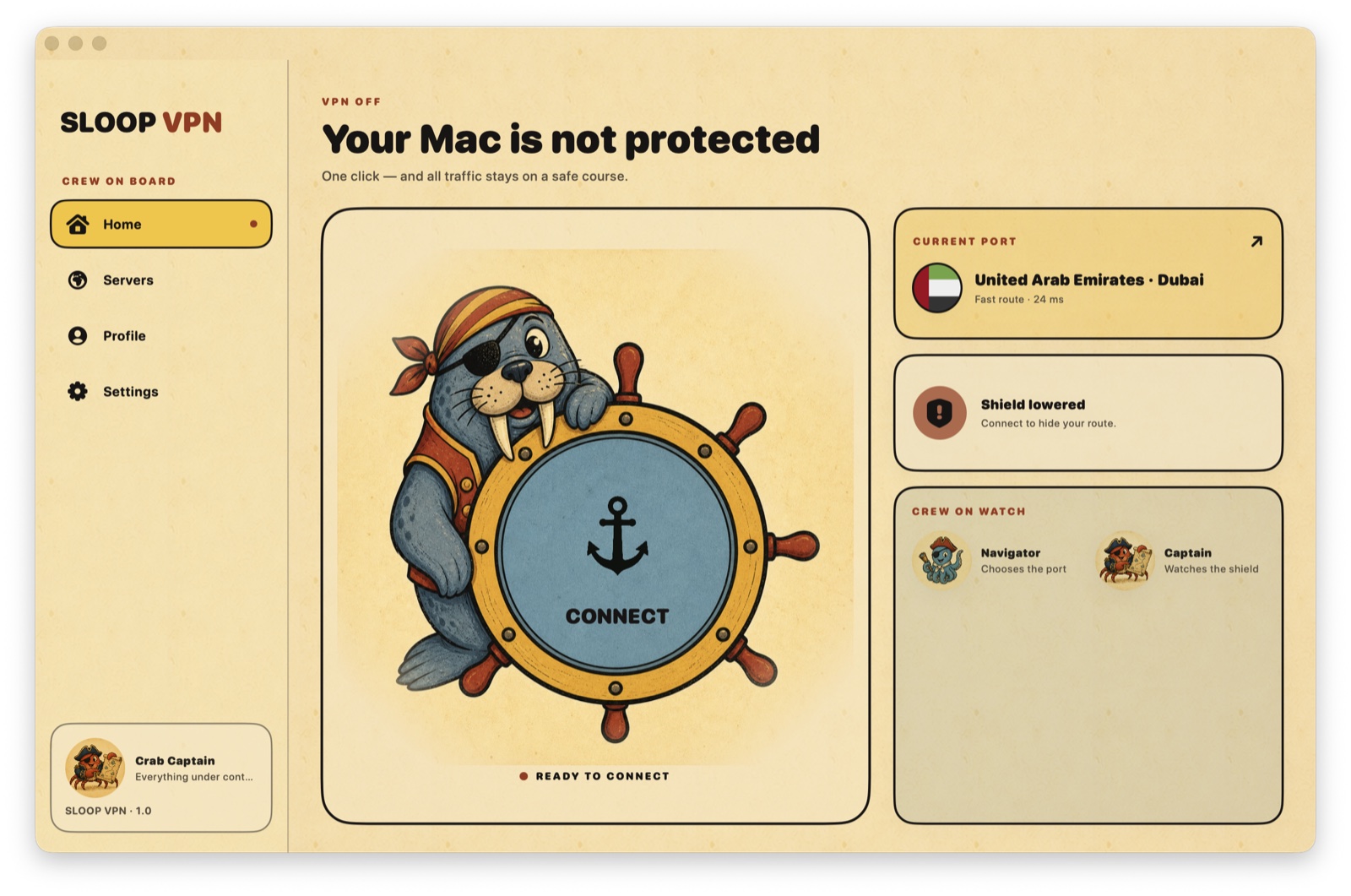
Your status, selected port, protection state, and crew are all on one screen. No buried switches. No intimidating network jargon.
  • Connect or disconnect in one click
  • See the active route and connection state
  • Keep security information easy to understand
Sloop VPN home screen on macOS
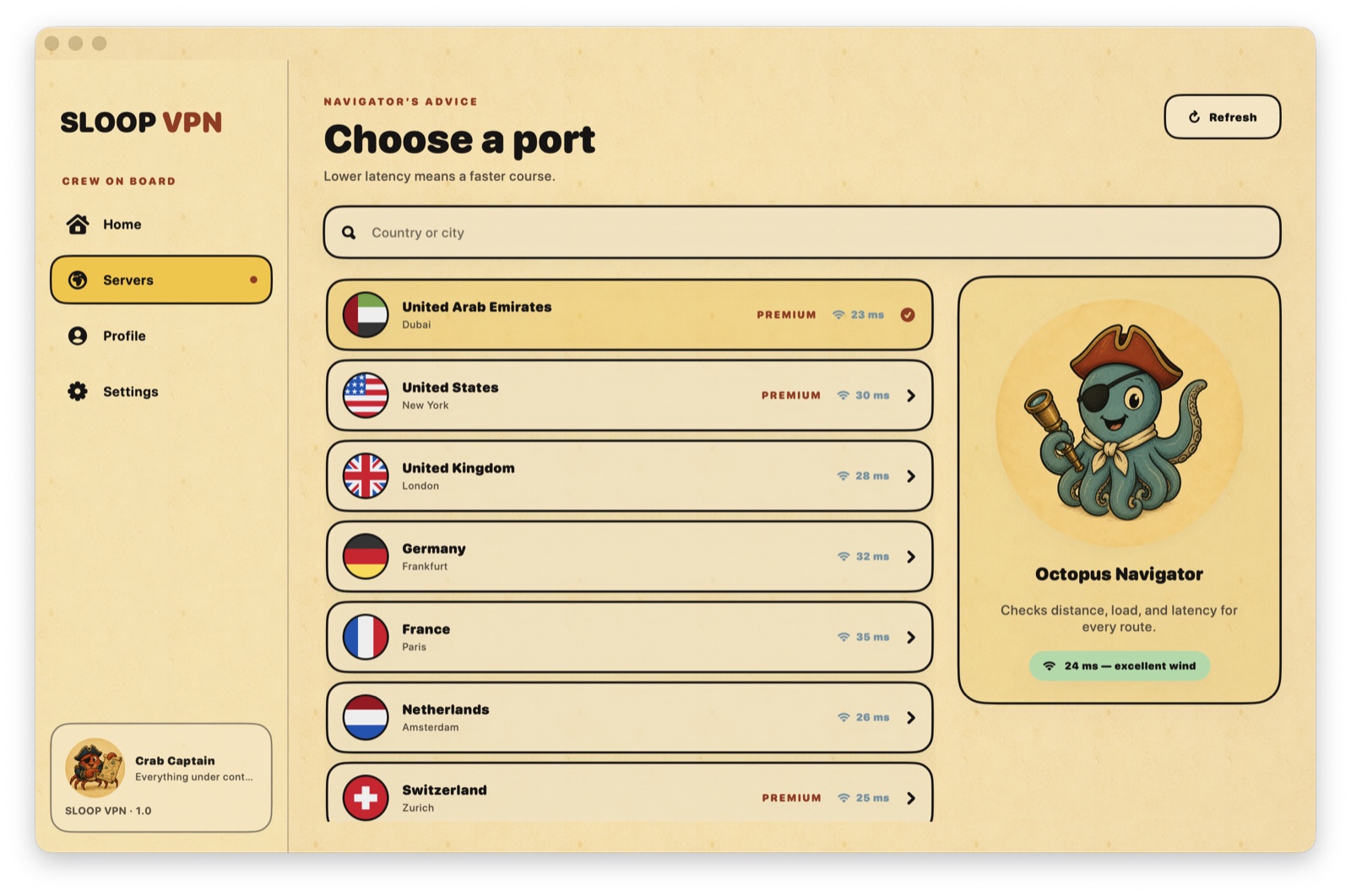
Sloop VPN server locations screen

THE NAVIGATOR'S MAP

Choose a port.
Keep moving.

Browse available locations with country flags and clear latency. The route list stays simple even when the map grows.

🇦🇪🇺🇸🇬🇧🇩🇪🇫🇷🇳🇱
Server availability can vary by location and network conditions.

THE CAPTAIN'S SHIELD

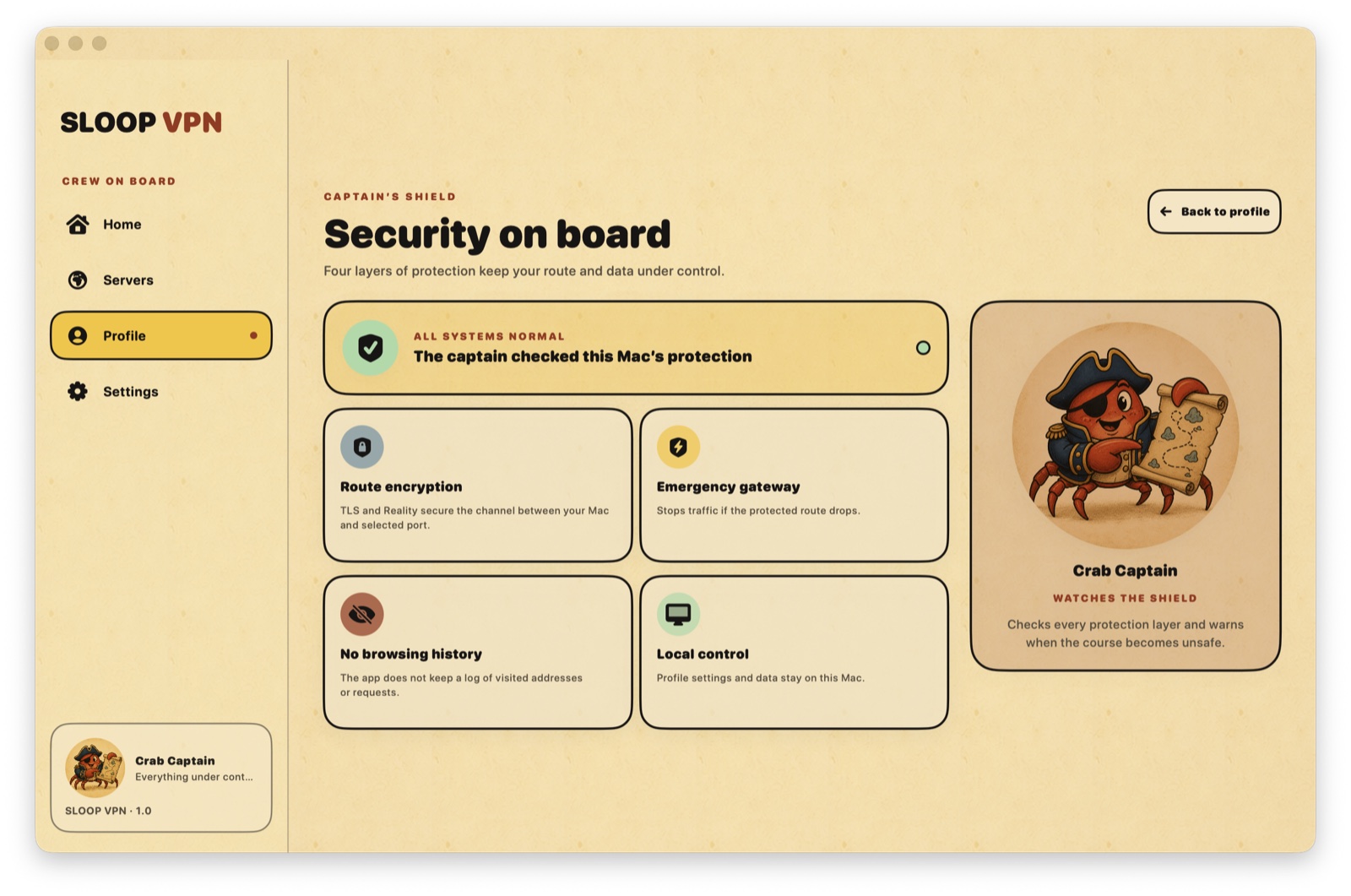
Protection without a black box.

Sloop explains what is working, what stays local, and what happens when you connect.

01

Encrypted route

Your Mac connects to the selected VPN port through a protected tunnel.

02

No browsing history

The app does not build a list of the websites you visit.

03

Local control

Language, theme, trial date, and crew preferences stay on this Mac.

04

Apple billing

Purchases and verified subscription status are handled through StoreKit.

Sloop VPN security screen on macOS

YOUR FIRST VOYAGE

Seven days.
No account.
No traffic limit.

1Open SloopMeet the crew and accept the clear privacy notice.
2Pick a portChoose any currently available server route.
3Press ConnectApprove the macOS VPN configuration once and sail.

STAY ON BOARD

Four plans. The same full ship.

When the guest voyage ends, sign in with Apple and choose the billing period that fits your course.

A short voyage

1month
  • All available ports
  • Unlimited VPN traffic
  • Restore through Apple
App Store pricing

Room to explore

3months
  • All available ports
  • Unlimited VPN traffic
  • Restore through Apple
App Store pricing

The steady course

6months
  • All available ports
  • Unlimited VPN traffic
  • Restore through Apple
App Store pricing

Auto-renewable subscriptions are billed through your Apple Account. Prices are shown in the app before purchase and vary by storefront.

CAPTAIN'S LOG

Good questions.
Straight answers.

Do I need an account to try Sloop VPN?+

No. A fresh installation includes seven days of guest VPN access without signing in and without a traffic limit.

When is Sign in with Apple required?+

Only after the guest voyage, when you are ready to choose and purchase an App Store subscription.

Can I change server locations?+

Yes. Open Ports, refresh the list, and choose any currently available location. Availability and speed can vary.

How do I cancel or restore a plan?+

Use Restore Purchases inside Sloop VPN. Billing, renewal, and cancellation are managed through your Apple Account.

READY WHEN YOU ARE

Raise the shield.
Choose your course.

Sloop VPN for macOS is preparing to arrive on the App Store.

COMING SOON TO THEMac App Store